Standard Desk Height for Commercial & B2B Office Projects
The standard desk height for most office desks is 28–30 inches (71–76 cm), measured from the floor to the work surface. This height range is widely used in commercial offices, schools, and shared workspaces because it fits the average seated adult user.
However, standard desk height is only a reference, not a universal solution. User height, seating posture, task type, and whether the desk is used for sitting or standing all affect the ideal working height. A desk that is too high or too low can lead to poor posture, shoulder tension, and reduced comfort during long working hours.
In this guide, we explain standard desk height for seated and standing use, compare adult and kids desk height requirements, and cover common office and commercial use cases to help wholesale buyers, project planners, and office furniture purchasers choose the right desk height with confidence.ors.
Why Standard Desk Height Is a Project Risk
In a B2B office rollout, desk height is not a personal preference. It defines the working height for keyboards and pointing devices across dozens or hundreds of workstations. When this single dimension is wrong, the issue does not appear once—it repeats at scale.
Instead of one isolated complaint, project teams face systemic feedback: raised chairs to reach the desk, compromised posture, and secondary adjustments that cascade into monitor arms, seating specs, and under-desk accessories. What starts as a desk height decision quickly turns into a project-level risk affecting cost, timelines, and user satisfaction.
Common problems caused by wrong desk height in bulk projects
Most commercial fixed desks are specified at 29–30 inches (737–762 mm) measured to the top of the work surface. However, the effective working height often ends up higher than intended.
This “felt” height is influenced by desktop thickness, leveling glides, and under-desk components mounted below the surface. When the desk height sits even slightly too high for a significant portion of users, a predictable chain reaction follows: chairs are raised to reach the desk, feet lose floor contact, and footrest requests begin to appear.
Once desk height is set incorrectly, teams often respond by adding keyboard trays or swapping chairs. These fixes frequently introduce knee-clearance and hardware conflicts with drawers, power troughs, cable baskets, CPU holders, and modesty panels.
In a 400-desk rollout, even a 10% exception rate creates 40 workstations requiring special handling. These exceptions rarely stay isolated within a single trade and often trigger cross-discipline coordination.
Cost of rework, complaints, and project delays
These costs typically surface after installation, when changes are slow and expensive. What looks like a “small” correction often turns into a site visit, replacement parts, and workstation downtime. Even one hour of labor plus a single add-on item, multiplied across many stations, quickly becomes a meaningful budget impact.
The larger issue is schedule friction. Each adjustment requires access, approvals, and coordination with IT and facilities—sometimes including re-checking clearances. Desk-height errors then inflate punch lists, delay closeout, and create inconsistent workstation setups across sites.
Why “standard height” is often misunderstood by buyers
Buyers often approve a single catalog number, but projects ultimately live with the installed finished height. Suppliers may reference top height, frame height, or overall height—terms that are not equivalent once leveling glides, worktops, and under-desk kits are added. As a result, a desk specified as “30 inches” can arrive at different effective heights across vendors, or even across production batches.
In the U.S., this issue is further amplified by accessibility requirements. ADA guidelines define accessible work-surface heights within the 28–34 inch range, along with specific knee and toe clearance rules. When standardization focuses only on a nominal height—without clearly defining how height is measured and what under-desk components are included—projects risk non-compliance and rework, not just user comfort issues.
What Is the Real “Standard Desk Height” in Commercial Projects?
In US commercial projects, “standard desk height” usually means the finished worksurface height that shows up after the desk is installed and leveled. That is the number users experience, and it is the only number that matters for complaints, rework, and consistency.
Typical fixed heights in office projects
Most fixed-height desks used in commercial offices cluster around the 29–30 inch range to the top of the worksurface. You can see this in mainstream contract-grade product specs, where fixed desks are commonly listed at 29 inches or around 29.5 inches overall height.
Worksurface height vs. frame height
Suppliers may quote a “desk height” that is really the frame height, not the top-of-surface height. The difference is not small. Worksurfaces are often around ~1.125 inches to ~1-3/16 inches thick, and many commercial work surfaces are also built in 1-1/4 inch or 1-3/4 inch thickness options. Add leveling glides (often offering about 1/2 inch of adjustment), and the same “standard base” can land at noticeably different finished heights across vendors or options.
Catalog numbers vs. delivered reality
Catalog specs often look like a single clean number, but production and installation create the real result. Floors are not perfectly flat, installers level desks differently, and tops/accessories change the stack-up. If a desk is advertised at “29 inches,” a thicker top plus glides set high can push the finished worksurface closer to 30 inches in the field. That gap is where bulk projects get inconsistency, exception requests, and late accessory orders. The risk is highest when different vendors interpret “height” differently in submittals (overall vs. frame vs. worksurface), so the project ends up buying desks that are “to spec” but not the same in use.
Fixed Height or Adjustable Desk — How Project Buyers Should Decide
A desk-height choice is a risk choice. Fixed height reduces moving parts and makes installs faster. Adjustable reduces “fit” complaints and exceptions. The safer decision comes from how much user variation you must support, how long the task is keyboard-heavy, and how expensive post-install changes will be on your sites.
Where fixed height is safe
Fixed-height desks are acceptable when seating is assigned, the user range is narrow, and the work surface will not be the primary keyboard/mouse height for long-duration computer work.
If your rollout must serve “many different users,” fixed height usually stays stable only when you plan a controlled adjustment method from day one (most commonly a keyboard tray), because US workstation purchasing guidance notes that buying a fixed-height desk may require a keyboard tray to achieve enough height adjustment for different users.
When adjustability is non-negotiable
Adjustable desks become the low-risk option in shared spaces, hoteling, training rooms, call centers, and any environment where you cannot control who sits where. In those cases, a single fixed height creates exceptions that multiply fast.
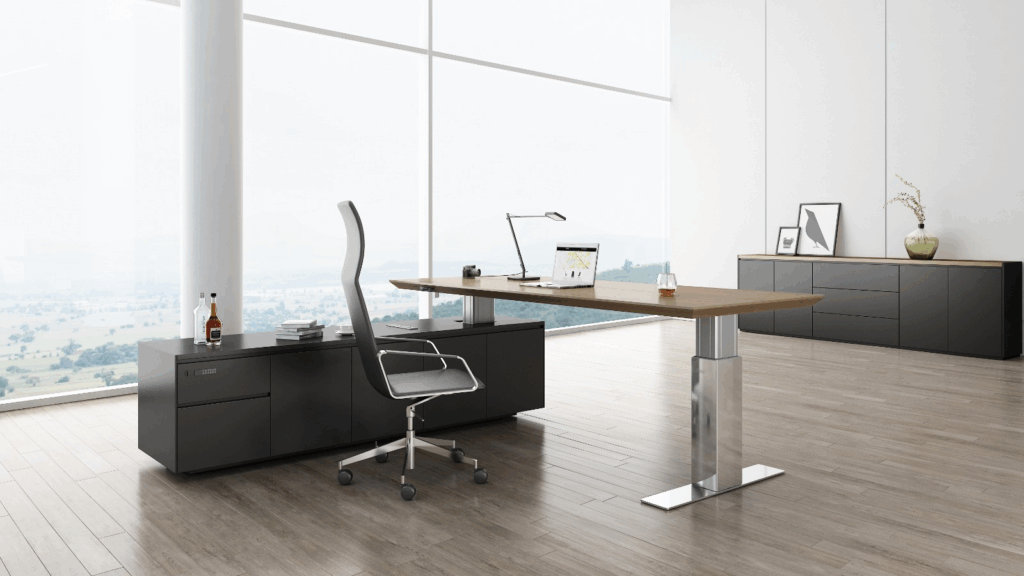
The same purchasing guidance sets a clear target: keyboard height should be adjustable roughly 22–30 inches for seated tasks and 36–46.5 inches for standing tasks, with the working height near elbow level.
If you’re standardizing sit-stand, align the spec to a single family of height-adjustable desks and lock the controls, power plan, and accessory zones early.
Cost and failure tradeoffs
Fixed height usually wins on upfront price and long-term simplicity. Adjustable reduces rework risk, but adds service risk because there are mechanisms (and sometimes motors) to maintain.
To control that risk in procurement, tie acceptance to recognized commercial performance testing for desks and tables. The US contract-furniture standard ANSI/BIFMA X5.5-2021 covers desk and table safety/durability and specifically includes height-adjustable products, with added emphasis on stability and height-adjustable surface tests.
Rollout mistakes that drive complaints
The common failure is buying “adjustable” but not standardizing what makes it workable in the field. That usually shows up as inconsistent control types across sites, unstable feel at standing height, and power/cable decisions left to installers.
Another frequent miss is ignoring accessibility scope: the 2010 ADA Standards require dining and work surfaces to be 28–34 inches above the finished floor (with required knee/toe clearances), so your “adjustable” solution still has to hit the right heights in real installation conditions.
Desk Height Planning by Workspace Type (Project Scenarios)
Desk height planning is easier when you treat each space as a different risk profile. The “right” choice depends on how many people will share the station, how long they type, and how expensive it is to correct problems after install.
Open offices and shared stations (hoteling)
Shared seating creates the highest mismatch risk because user size and chair settings change all day. A fixed-height standard works only if you accept a steady stream of exceptions.
The safer approach is height-adjustable desks (or a controlled mix of fixed heights by zone) so the station can be reset without add-on parts and without facilities tickets.
Executive and assigned offices (low churn)
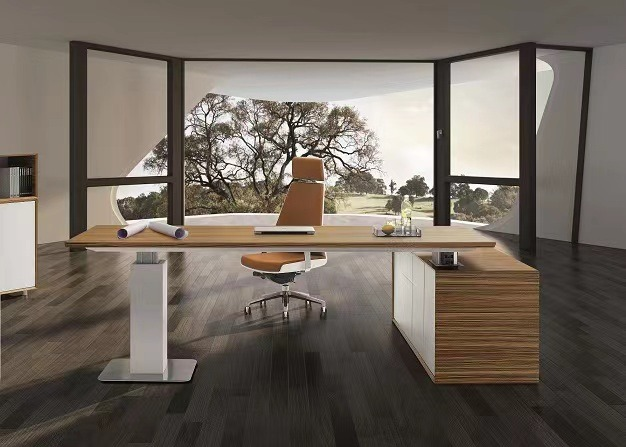
Assigned offices have lower user-variation risk, so fixed height can be workable when you control the full setup. The hidden risk here is “premium” furniture choices that reduce under-desk space (drawers, modesty panels, thick tops) and make later corrections harder. If you choose fixed height, lock the finished worksurface height and under-desk clearances early and keep accessories consistent.
Call centers and task-heavy teams (high repetition)
These areas generate the most complaints when the keyboard/mouse height is wrong, because people type and mouse for long blocks of time.
Fixed height often triggers retrofits (trays, chair swaps, footrests) and turns into repeat tickets. Height-adjustable desks (or an adjustable keyboard surface strategy) usually reduces rework because you can fit more users without changing hardware.
Training rooms and temporary spaces (many users, short duration)
These rooms are shared, but users sit for shorter periods. If budget is tight, fixed-height desks can work when paired with chairs that have enough adjustment range and when under-desk space is kept clean (no drawers that block knees).
If the room is used for long laptop sessions or exams, adjustability becomes more valuable because “short use” often turns into “all-day use” in real life.
Recommended approach (fast project rule)
Use this simple selection logic when you need a defensible choice:
- Choose adjustable height when stations are shared, keyboard-heavy, or complaints must be minimized after go-live.
- Choose fixed height only when stations are assigned, under-desk space stays open, and you can standardize chair + monitor approach with it.
How Desk Height Interacts with Chairs, Monitors, and Accessories
Desk height cannot be procured in isolation. Most “desk height problems” are really mismatch problems between the desk, chair, monitor position, and what is mounted under the top. The risk is not the product. The risk is the combination.
Desk + chair fit (procurement compatibility)
A desk that is slightly high forces chairs to go up. When chairs go up, feet support becomes a problem and armrests start colliding with the desk edge. This is why desk height decisions should be evaluated with the actual chair model (or chair spec range) used on the project, not with an “equivalent chair” in a showroom, and why it helps to standardize ergonomic chairs in the same package as the desk spec.
Clearance traps (armrests and knees)
Most rework comes from clearance conflicts that were not visible in the catalog. Armrests can hit the desk edge and push users away from the work surface. Knees can hit drawers, modesty panels, trays, and cable hardware.
These conflicts get worse when you add late accessories, because every add-on steals space under the top.
Why chair adjustment can’t “fix” a bad desk height
Chair adjustment changes the person’s height relative to the floor. It does not automatically fix the keyboard/mouse working height.
If the desk is too high, raising the chair may help reach the surface, but it often creates new problems (feet not supported, armrests no longer aligning, thighs hitting the underside). In large rollouts, that turns into accessory requests and inconsistent setups across sites.
What to specify together in one order (to prevent rework)
Bundle these items so the delivered workstation works as a system, not as separate parts:
- Desk finished worksurface height (or height-adjustable range) plus measurement method (top-of-surface after leveling)
- Worksurface thickness and any under-desk components (drawers, modesty, power troughs, cable trays, CPU holders)
- Chair model/spec range (seat height range and armrest adjustability expectations)
- Monitor support strategy (arms vs. risers vs. fixed) and clamp/through-bolt compatibility with the top
- Keyboard/mouse approach (on top vs. tray) with a declared knee-clearance requirement
- A single “approved workstation build” for pilot approval, then lock it for the rollout
Desk Height Standards for Schools & Institutions
Schools and institutions have a different risk than offices. Students grow fast. Rooms get reassigned by grade. Furniture gets moved hard. The safest “standard” is usually a sizing system, not one height for everyone.
One-size vs multi-size programs
A single fixed desk height across a whole school tends to create daily mismatch for a large portion of students. Multi-size standardization reduces complaints because it matches furniture height to student body size instead of forcing workarounds.
In practice, many education furniture systems use size marks with fixed table heights such as 530, 590, 640, 710, and 760 mm (about 20.9, 23.2, 25.2, 28.0, 29.9 inches) as the core “set” that covers most grade bands.
Size bands that work (simple grouping logic)
Age is a weak predictor. Height is better. A simple program approach is to group by grade ranges, then verify against real student sizes for that district.
Many US classroom sizing guides map common table heights like ~22″, ~24″, ~27″, ~29″ to typical grade bands.
For procurement, lock the policy in the spec:
- Define the approved table heights (your “size set”)
- Define which rooms get which heights (by grade band or program)
- Require consistent labeling so deliveries don’t get mixed across campuses
Where adjustability makes sense in schools
Adjustable desks make the most sense where the room changes users often, or where you must support a wide size range with fewer SKUs. Typical high-fit areas are special education rooms, intervention spaces, libraries, and staff/student shared stations.
If you use adjustable, require a durability standard that is meant for institutional and educational environments, not residential use.
Compliance + durability checks
In many institutional projects, accessibility scope applies to study carrels and work surfaces. ADA sets 28–34 inches to the top of dining/work surfaces (with knee/toe clearance rules), and it also provides children’s-use surface heights where applicable.
If furniture is intended primarily for children 12 and under, check whether children’s product rules apply to materials and coatings (lead limits are a common compliance point).
What Buyers Must Confirm Before Placing a Bulk Desk Order
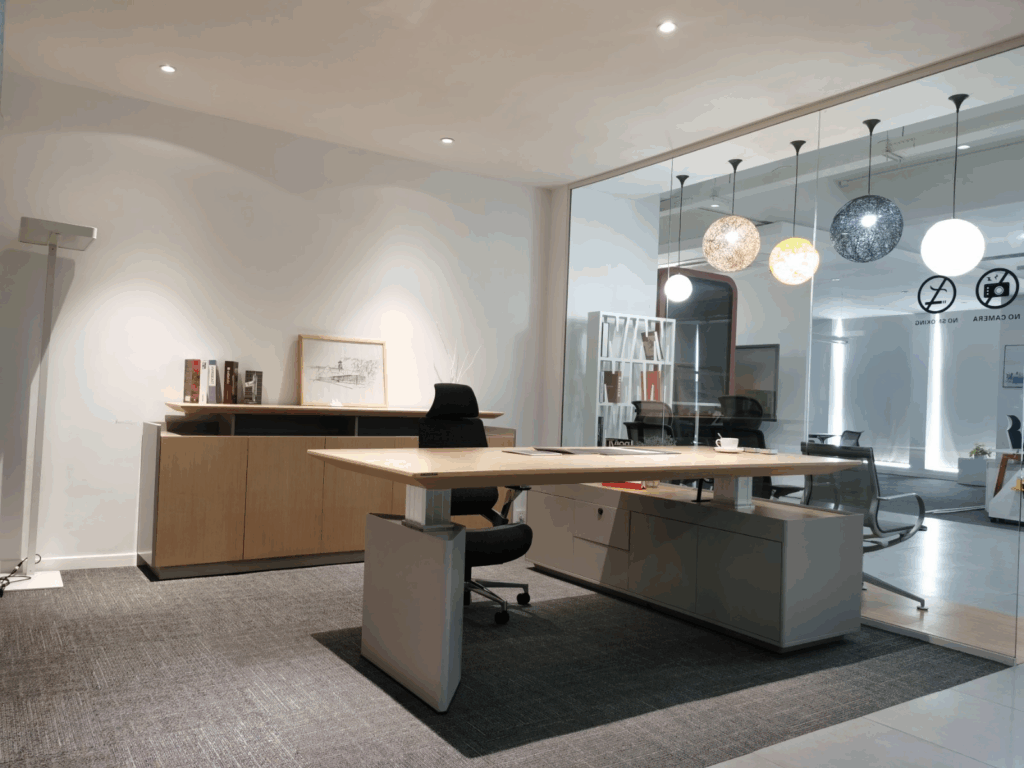
Bulk desk buying fails when “height” is treated as a catalog number instead of a controlled deliverable. The fixes are expensive because they happen after install. Use confirmations that prevent exceptions and keep stations consistent across lots and sites.
Height tolerance (and how “height” is measured)
Define height as finished top-of-worksurface height after leveling. Then set an allowable tolerance so different production batches still land the same in the field. Also confirm the leveling glide range, because glides can hide height drift until installation day.
- Measurement point: top surface, leveled, at mid-glide (or specify glide position)
- Allowed deviation: state it in the PO/submittal requirements
- Submittal must show: nominal height + tolerance + leveling range
Top thickness + true knee space
Top thickness changes finished height and it steals under-desk clearance when trays, power, or modesty panels are added. Confirm the top thickness option being supplied, and confirm knee/toe clearance with the real under-desk kit installed (not just the base).
- Confirm: top thickness, edge build, and any under-top reinforcement
- Confirm: minimum clear knee zone for the intended use (especially where trays are planned)
Frame and accessory clashes
Most rework comes from collisions: trays hitting crossbars, CPU holders blocking knees, cable baskets fighting power troughs, monitor-arm clamps not fitting the top. Don’t approve desks until you see the “stack” in one drawing.
- Require an under-desk layout showing: cross members, channels, and mounting zones
- Require compatibility notes for: trays, power, cable mgmt, modesty, CPU holders
Customization limits and MOQ traps
Custom heights and custom tops sound easy, but they often change lead time, minimums, and returnability. Many suppliers can only customize within a narrow height window without changing tooling or stability performance testing.
- Confirm: MOQ by finish, height, and top size
- Confirm: lead-time impact of non-standard height or top thickness
- Confirm: spare parts and warranty coverage for custom builds
Pilot sample and approval workflow
A pilot prevents “spec-correct but field-wrong” outcomes. Approve one complete workstation build, then lock it and control changes.
- Sample: one full station with the real chair + accessories
- Approval record: photos + measured finished height + under-desk clearance
- Release rule: no bulk production until pilot sign-off and submittal approval
Desk Height Design — A Manufacturer’s Perspective
Manufacturers are not avoiding custom heights to be difficult. They are managing repeatability, testing, packaging, and warranty risk. Procurement teams get better results when they align on these constraints early and understand how production and quality control drives tolerance control and batch consistency.
Why factories stick to a few heights
A small set of heights is easier to produce consistently because it matches standard leg components, weld jigs, cartons, and stability targets. It also aligns better with performance testing regimes used for commercial and institutional desks, including tests that put special emphasis on stability and height-adjustable surfaces.
Standard vs custom (what you trade)
Standard heights usually mean faster lead times, fewer defects, and easier replacement parts. Custom heights can reduce user complaints in specific rooms, but they can increase:
- unit-to-unit variation risk (tolerance control gets harder)
- spares risk (harder to match later)
- schedule risk (engineering + sampling + re-approval cycles)
Early alignment that prevents rework
Most desk-height rework comes from late discovery: “height” was interpreted differently, or under-desk kits were added after the frame was finalized. Early alignment reduces this risk:
- Share your measurement definition (finished top height after leveling)
- Share the full under-desk accessory plan before engineering is frozen
- Pilot the exact build and lock the approved configuration for the rollout
Standard Desk Height FAQs for Bulk & Project Buyers
1. Can standard desk height be customized for bulk orders?
For bulk projects, standard desk height can be customized, but buyers should confirm the finished top-of-surface height (not frame height) and keep specifications consistent across all SKUs.
Onmuse recommends locking the measurement method before mass production.
2. What desk height works best for large office projects?
Most commercial projects specify 29–30 inches (737–762 mm) finished height. However, the correct height depends on desktop thickness and under-desk components, which should be defined at the specification stage.
3. Should project buyers choose fixed-height or adjustable desks?
Fixed-height desks are preferred for large rollouts due to shorter lead times and lower variance. Adjustable desks are better for mixed-user environments but require stricter configuration control.
4. What should be checked before approving a bulk desk order?
Verify finished desk height, under-desk clearance, and compatibility with power modules and cable management using one approved workstation sample before release.
5. How do MOQ and project support work for bulk desk orders?
MOQ typically increases with custom desk heights, special finishes, and multiple SKU variants.
For project orders, buyers should confirm MOQ by SKU, warranty and service responsibility, and spare-parts availability in writing—especially for multi-site or phased rollouts.