How to Choose Office Chairs for Commercial Projects
Commercial office chair procurement guide (US commercial)
Selecting the right office chairs can be challenging, especially when it comes to ensuring they fit your office space and meet your employees’ needs. As a professional office chair supplier, Omuse understands these challenges and offers practical, expert advice to help you make the best choice.
In this guide, we’ll focus on key factors like adjustability, material selection, and floor compatibility to help you choose the ideal chairs for your commercial space.
1. Office Chair Selection Criteria by Commercial Space and Usage Intensity
When selecting office chairs, customize specifications based on the needs of each space, rather than relying on a generic catalog. Different areas—such as workstations, conference rooms, and shared spaces—have varying usage intensities and maintenance requirements.
Chair Selection by Space Type:
- Workstation Chairs:
Need higher comfort and adjustability, such as height adjustment and lumbar support. - Conference Room Chairs:
Focus on appearance and durability, with options for fixed height and appropriate back support. - Shared Space Chairs:
Prioritize durability, using materials that are easy to clean and sturdy.
Usage Intensity Determines Durability:
- The usage intensity of each space (e.g., hours of use per day, assigned vs. shared seating, and turnover rate) should set the durability and design standards for the chairs.
Procurement Tips:
- Set a fixed SKU for each space type to ensure consistency across all floors and phases.
- Include model/SKU, finish code, caster type (based on flooring), and warranty coverage in the chair schedule to avoid ordering errors and “close enough” substitutions.
Omuse Can Help:
As a professional office chair supplier, Omuse can help you create customized office chair solutions tailored to each space’s specific needs, ensuring comfort, durability, and style across your entire commercial project.
Table: Commercial space × key chair requirements
| Commercial space | Primary risk | Procurement focus | Schedule output (SKU-controlled) |
| Workstations | High complaint volume | Numeric adjustability + serviceable wear parts | Model/SKU + finish + caster + warranty |
| Conference rooms | Break points + cleaning issues | Durability + cleanability + simple controls | Model/SKU + finish + caster + warranty |
| Shared/public | High turnover + misuse | Higher duty expectation + parts availability | Model/SKU + duty tier + finish + spares note |
Workstations (assigned vs shared)
Workstations carry the highest complaint risk because users sit there the longest and desks remain fixed. Assigned seating allows precise tuning for a single user, while shared or hoteling seating requires wider adjustment ranges and simpler controls due to frequent user changes.
Daily hours of use should define the chair class.
Workstations intended for long-term daily use must list documented numeric adjustment ranges on the cut sheet — not generic “ergonomic” labels.
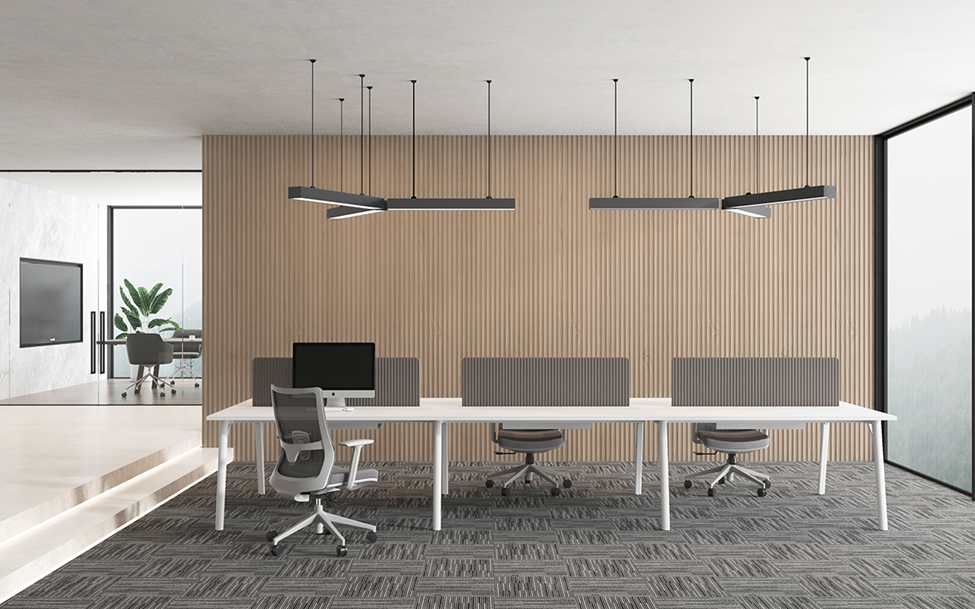
Maintenance risk also starts here. Wear parts fail first under daily use. A true commercial-grade workstation chair must support serviceable components such as casters, arm pads, and gas lifts, allowing facilities teams to restore function without replacing the entire chair.
Procurement should treat replaceable wear parts as a requirement, with part numbers and availability clearly stated in the submittal package. To prevent inconsistent performance, the schedule should list one workstation chair line item per workstation type, avoiding mixed models that look similar but perform differently.
Conference rooms
Conference rooms stress chairs differently. Users sit for shorter periods, but chairs experience constant movement, dragging, stacking pressure, and less careful handling. In these spaces, durability and cleanability matter more than complex adjustability.
Simpler control mechanisms reduce break points and long-term service calls. Conference seating must also match the floor finish. The specification should lock caster type to the flooring package to prevent floor damage and unwanted noise.
Each conference chair schedule line should lock finish code, upholstery selection, caster type, and warranty terms to one SKU. This keeps conference rooms visually consistent and prevents reorders that only “almost match” after the first project phase.

Shared & Public Areas (Lobbies, Touchdown, Training Rooms)
Shared and public areas have the highest turnover and misuse risk. Chairs in these spaces must meet a higher duty requirement and use easy-clean surfaces that align with the site’s actual cleaning methods.
Specifications should also prioritize fast recovery from failures. When a chair fails in a lobby or training room, teams need a quick swap, not a long replacement cycle.
A simple continuity plan helps reduce downtime without adding complexity:
- Approve one primary SKU
- Allow one tightly controlled alternate SKU within the same finish family and performance class
- State wear-part availability expectations in the submittal package
- Include a short stocking or spare-parts note in the schedule to support predictable replacement in high-turnover areas
2.Ergonomic & Adjustability Specs for Commercial Office Chairs
Clear ergonomic and adjustability specifications are critical in commercial office chair procurement. Instead of relying on generic ergonomic claims, procurement teams should evaluate chairs based on documented numeric adjustment ranges tied to the exact model/SKU.
As a baseline, many projects reference Ergonomic Chairs to frame requirements, but final approval must always be based on model-specific cut sheets.
Chairs within the same product family often share names while using different mechanisms and adjustment ranges, making SKU-level documentation essential for accurate comparison and workstation fit.
Table: Adjustability specs checklist (numeric ranges)
| Spec item | What procurement requires | Acceptance rule |
| Seat height | Min/max in in + mm on cut sheet | Range must match exact model/SKU |
| Seat depth | Slider range in in + mm (when needed) | Slider locks firmly; no tools |
| Armrests | Range + clearance rules as needed | Arms must not block desk fit |
Seat Height (Numeric Range)
Seat height must be specified as a numeric adjustment range, not described as “standard” or simply “adjustable.”
The cut sheet should clearly list the minimum and maximum seat height in both inches and millimeters.
Acceptance rule: the documented range must match the exact submitted model/SKU, not a similar chair within the same product family. This avoids misalignment between approved specs and delivered products.
Seat depth (numeric range)
Seat depth is critical in shared and mixed-user environments. A seat slider with a documented range allows one chair model to accommodate more users without introducing multiple chair sizes.
The submittal must list the seat depth adjustment range in inches and millimeters. Acceptance should also confirm that the slider:
- locks securely
- adjusts without tools
This prevents loose-seat complaints and unnecessary service calls after installation.
Armrests (clearance + adjustability)
Armrests are a common source of post-install workstation clearance issues.
Specifications should state:
- the arm height adjustment range
- and, where clearance is tight, any width or pivot requirements
Removable arms can resolve clearance conflicts, but removability should be treated as a controlled option tied to a specific SKU. This prevents mixed chair configurations across floors or project phases.
3.Chair-to-Desk and Flooring Compatibility Requirements
Office chair performance is defined at the workstation and on the floor, not on paper. Chairs fail on-site when seat height does not align with the worksurface, armrests hit the desk, or casters damage flooring.
Clear compatibility specifications prevent rework after installation. Because caster and base configurations behave differently on different floor types, these elements should be locked at the SKU level, not left to field adjustment.

Chair-to-Desk and Flooring Compatibility Checklist
Chair issues on-site almost always come from misalignment with desks or flooring, not from missing features. To avoid rework after installation, compatibility must be verified during submittal, not left to field adjustment.
Each approved chair SKU should be checked against the actual workstation height, under-desk conditions, and flooring type used in the project. Clearance and caster selection should be treated as pass/fail items, not preferences.
Compatibility Checks by Item
| Check Item | What Must Be Verified | Why It Matters |
|---|---|---|
| Seat-to-Desk Height | Seat height range matches actual desk/worksurface height used in the project | Prevents reach strain and poor workstation fit |
| Under-Desk Clearance | Arm style, arm cap size, and base width clear desk edges, modesty panels, and under-desk storage | Avoids collisions discovered only after install |
| Caster × Flooring Match | Caster type locked to carpet or hard surface by space or flooring zone | Prevents noise, drag, scratches, and surface damage |
4.Durability, Load Rating, and ANSI/BIFMA Compliance
Durability requirements protect commercial projects from early failures, service calls, and inconsistent performance across phases. For procurement, durability must be verified through documented standards and ratings, not marketing language.
To keep selection consistent across suppliers and production runs, durability, load rating, and compliance should be locked at the model/SKU level during submittal review.
Durability Verification Checklist
| Item | Procurement Requirement | Purpose |
|---|---|---|
| Duty Level | Defined by actual use intensity (standard, high-use, 24/7) and stated for the exact model/SKU | Aligns chair class with real cycle demand |
| Load Rating | Rated load documented on the cut sheet for the submitted model | Reduces breakage risk in mixed-user and public areas |
| ANSI/BIFMA Compliance | Model-specific ANSI/BIFMA documentation tied to the offered SKU | Protects the spec during substitutions and value engineering |
5.Functional Features to Specify vs. Avoid in Bulk Office Chair Projects
Bulk projects fail when chairs include the wrong features. The goal is not more functions, but fewer failures, fewer service calls, and consistent performance in shared use.
Every added mechanism increases parts count and tolerance risk, so procurement should specify only features that can be verified, supported, and maintained at scale.
Features to Specify vs. Avoid (Bulk Projects)
| Specify (Reduces Failures) | Avoid (Increases Service Calls) |
|---|---|
| Replaceable wear parts (casters, arm pads, gas lifts) | Over-complex control stacks (too many levers/knobs) |
| Simplified controls in shared seating | Soft or delicate finishes in public / high-turnover areas |
| Cut-sheet + approved sample proof for each feature | Feature claims without model-specific documentation |
Bulk projects perform best when features are controlled, documented, and easy to maintain. Replaceable wear parts and simplified controls reduce downtime, while unnecessary mechanisms and delicate finishes increase failure risk and service calls.
As a commercial office chair supplier, Omuse helps procurement teams pre-screen features at the SKU level, confirming which functions are appropriate for the project’s use intensity, shared conditions, and maintenance capability.
Features that cannot be verified on the cut sheet or supported in long-term use are excluded early, helping projects avoid inconsistent performance and post-installation issues.
6. Budgeting Office Chairs by Total Project Cost
Office chair budgets should be based on total project cost, not unit price. Delivery, staging, assembly, maintenance, and replacement all impact the real cost after installation.
Key budgeting points:
- Include inside delivery, assembly, and packaging removal in scope ownership
- Assume realistic replacement cycles for high-turnover areas
- Standardize SKUs and finish codes to control cost, lead time, and phase consistency
- Plan spares or parts kits upfront based on seat count and space criticality
Controlling these items early keeps costs predictable and avoids surprises after move-in.
7.Final Notes for Commercial Office Chair Procurement
Commercial office chair projects succeed when specifications are measurable, SKUs and finishes remain consistent across phases, and suppliers can support long-term serviceability after move-in. For procurement teams, controlling rework risk, replacement cycles, and future matching matters more than short-term unit price.
With SKU-level documentation, stable production control, and long-term parts availability, Omuse helps procurement teams maintain consistency from initial installation through future expansions.
Commercial Office Chair Procurement FAQs
FAQ 1: What proof should a submittal include for ANSI/BIFMA compliance?
Model-specific documentation that matches the exact SKU offered.
FAQ 2: How should casters be specified on projects with mixed flooring?
Assign caster type by flooring zone and list it in the chair schedule per space.
FAQ 3: What belongs in a bid-ready chair submittal package?
Cut sheets with ranges/dimensions, finish codes, rated load, warranty terms, and parts availability.
FAQ 4: Should procurement plan spares for bulk chair projects?
Yes, especially for shared and public areas where turnover drives faster wear and failures.